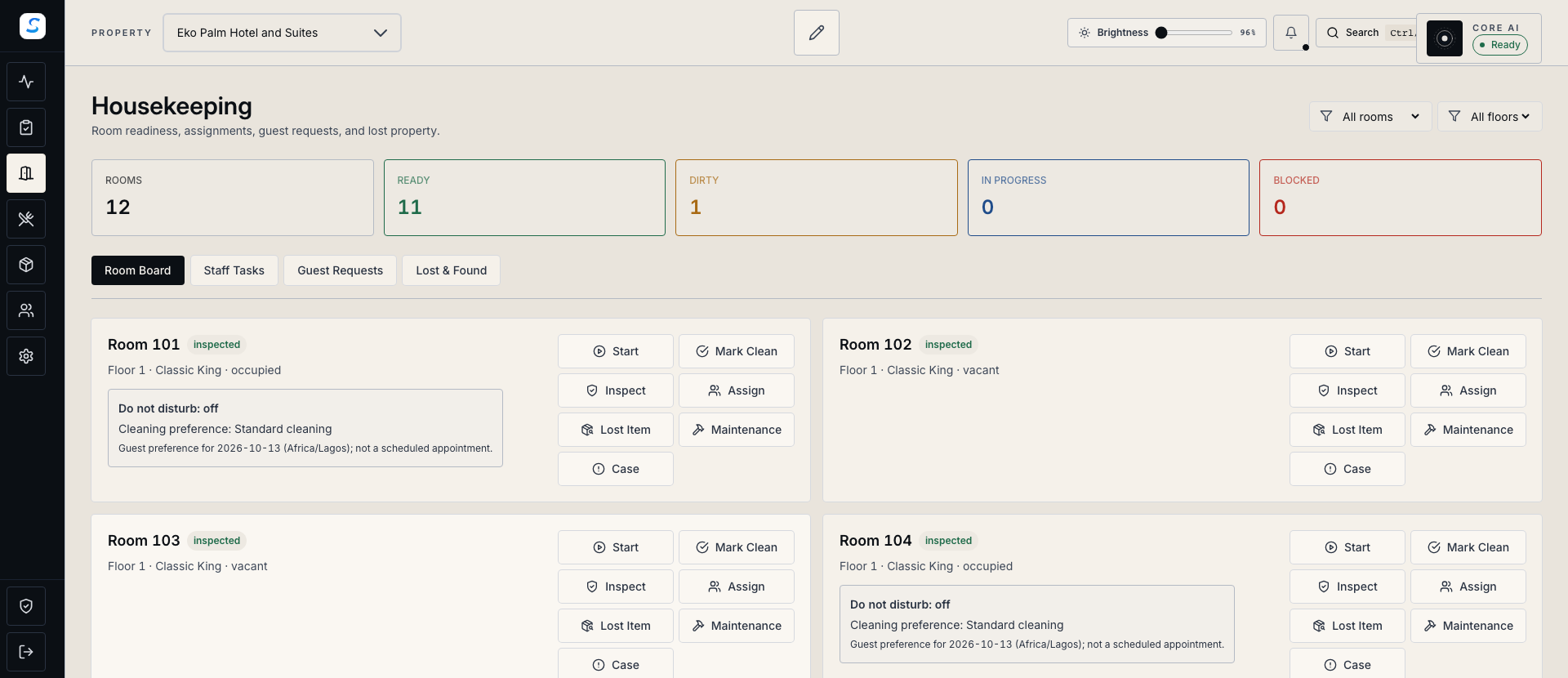
Give cleaning a clear sequence
Assign the housekeeper, record cleaning progress and complete inspection before releasing the room.
Rooms & service
Coordinate housekeeping, maintenance and assigned work around the rooms your guests use. Give every handover a recorded status and a clear next step.
Explore help and guidesBuilt around your working day
Assign the housekeeper, record cleaning progress and complete inspection before releasing the room.
Record room and asset issues with severity, ownership and evidence of the completed repair.
Keep instructions, progress notes and blockers with the task so the next person has the context.
Rooms & service / 01
Housekeeping gives the team a shared view of room cleaning. Assign work, mark progress, and complete the displayed inspection checklist before releasing the room to Front Desk.
Rooms & service / 02
Report an issue against a room or asset with a description and severity. Track its assignment and record resolution notes and photo evidence when the repair is complete.
How it connects
A connected Staycore workflow
Rooms & service / 03
My Tasks keeps assigned work, instructions and activity together. Staff can record progress and raise a blocker; supervisors can follow up on escalations and the wider team workload.
How it connects
A connected Staycore workflow
How it comes together
Bring cleaning, repairs and reception into a room-turnover process your team can follow.
Check occupancy, guest preferences and the work required before arranging entry.
Give cleaning and repair tasks to the responsible staff members with the relevant instructions.
Update cleaning progress or repair evidence, and escalate anything that still prevents completion.
Complete the room inspection and check remaining readiness conditions before its next arrival.
Marking a room clean records the cleaning result. Inspection and release are separate steps, and occupancy, maintenance or other readiness conditions may still need attention before reception assigns the room.
Yes. Staff with the relevant access can report an issue against a room or an asset, set its severity and track the repair. An asset issue does not itself change room availability.
Staff can record a blocker or escalate with a reason where their permissions allow it. Escalated work needs supervisor follow-up, and the task activity keeps the recorded context available for review.
Learn your way around
Practical instructions for your team, from setup to the everyday details.
Your next chapter starts here
See how rooms & service fits your operation.