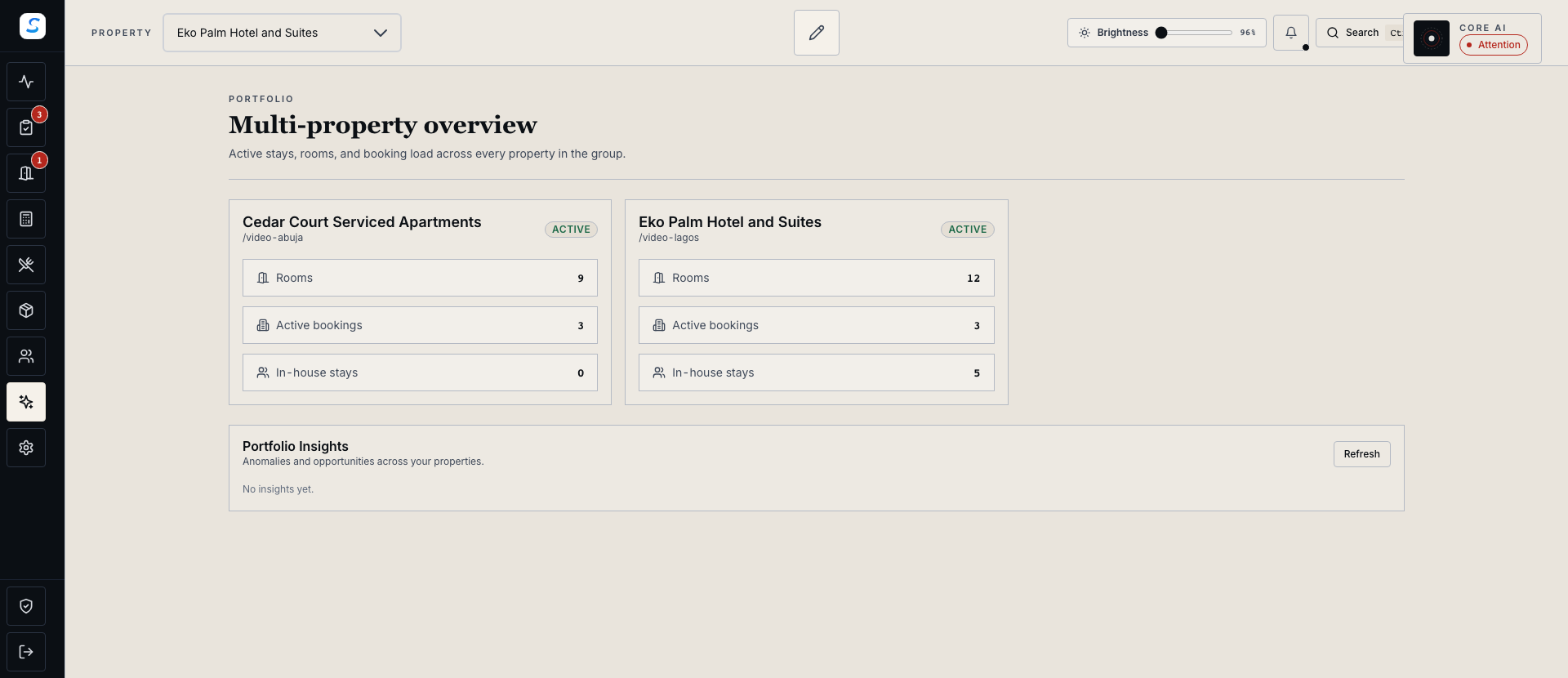
See the portfolio together
Review room, active-booking and in-house-stay counts without assembling separate updates from each property.
Multi-property management
Review properties, bookings and operational signals across your authorised portfolio. Multi-property operations are available with Custom Pricing.
Explore help and guidesBuilt around your working day
Review room, active-booking and in-house-stay counts without assembling separate updates from each property.
Inspect the source property, dates and evidence before deciding which team needs to act.
Preview supported policy transfers and complete the permissions and approvals required at the target property.
Multi-property management / 01
Portfolio Overview brings the authorised properties together with their room and stay activity. Open the owning property workflow when a record needs closer attention.
Multi-property management / 02
Portfolio Intelligence surfaces authorised property signals and an anomaly feed. Review the source evidence and timing so a comparison leads to a relevant next step.
How it connects
A connected Staycore workflow
Multi-property management / 03
For supported transfer suggestions, compare the source and target properties and inspect the proposed differences. Applying a transfer requires the target property’s write and approval authority.
How it connects
A connected Staycore workflow
How it comes together
Use the shared view to find the question, then work with the relevant property to resolve it.
Review the properties and operational summaries your account is authorised to see.
Check the source property, dates and supporting evidence.
Open the owning workflow or preview a supported policy transfer.
Complete required approvals and verify the updated property records.
Multi-property operations are available with Custom Pricing. Review the pricing page or book a demo to discuss your portfolio and required workflows.
No. Portfolio access and target-property write or approval authority are separate. Corrective actions and policy transfers follow the permissions for the affected property.
No. The preview shows the proposed differences. An authorised user must complete the apply and confirmation workflow, then verify the result.
Learn your way around
Practical instructions for your team, from setup to the everyday details.
Your next chapter starts here
See how multi-property management fits your operation.