Keep useful information close
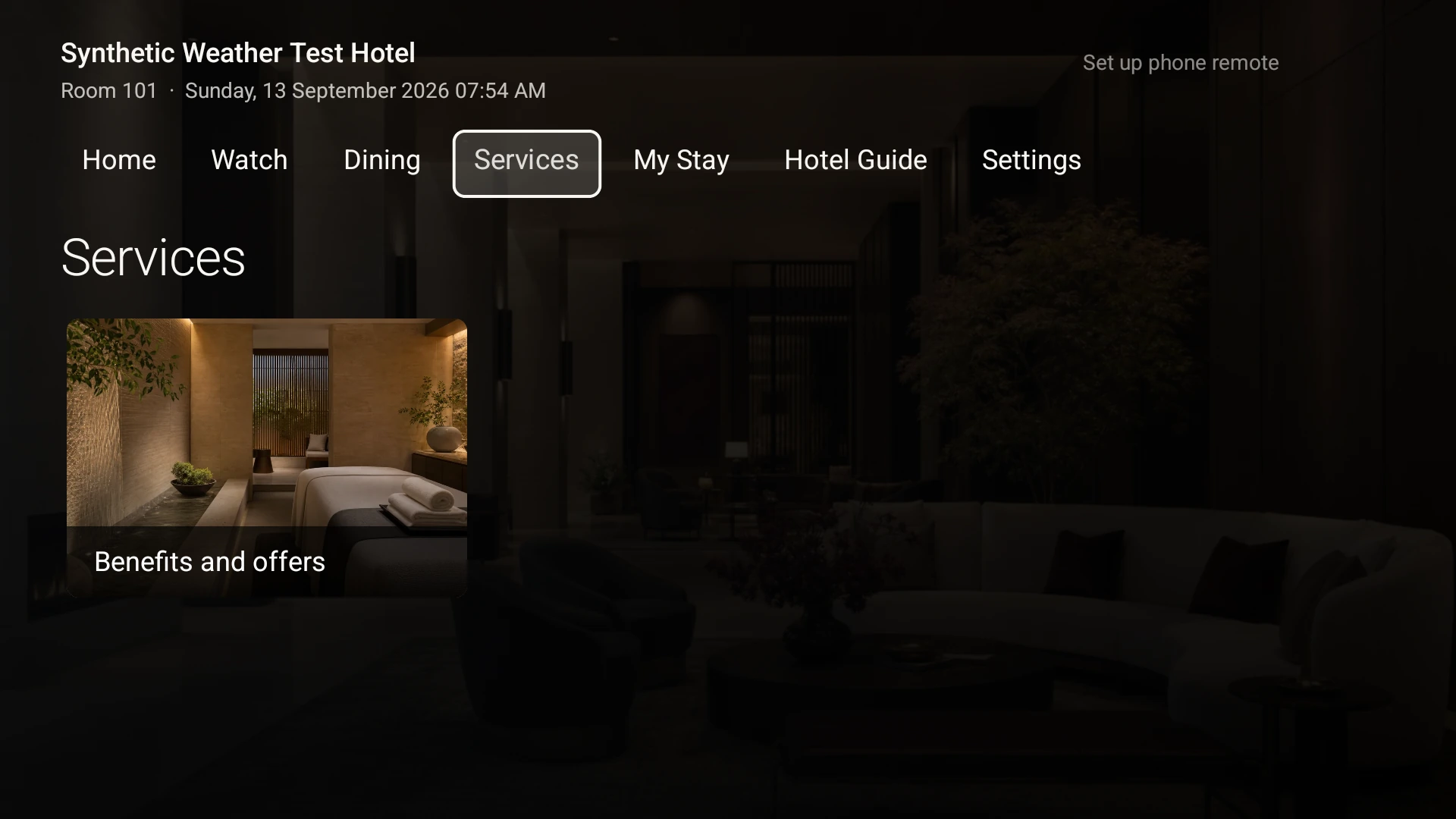
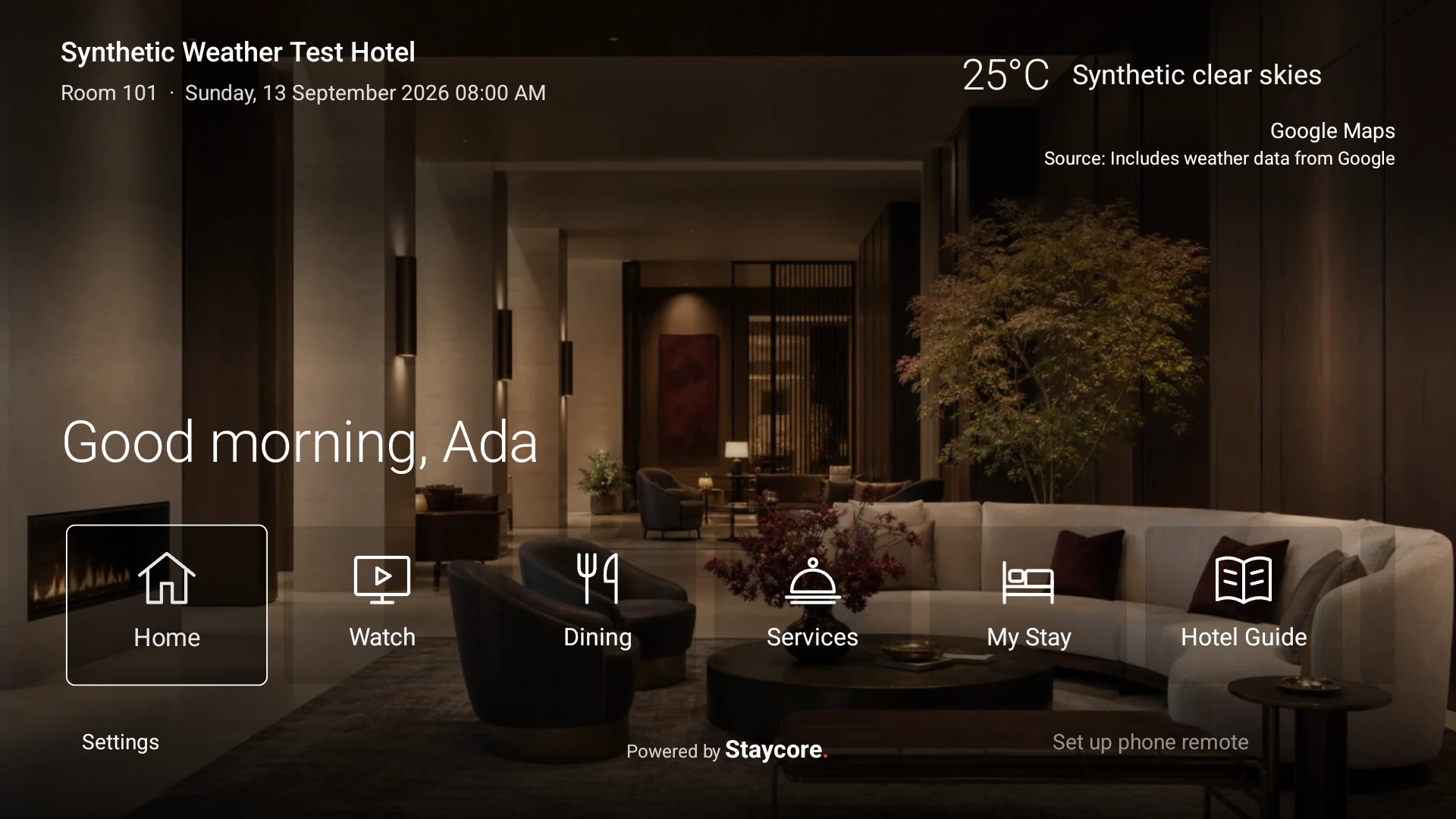
Give guests a room screen with your hotel guide, service information and configured navigation.
Hospitality TV
Bring your hotel guide, services and published content to the room TV. Manage the presentation and connected devices from Staycore, with room targeting and delivery records.
Explore help and guidesBuilt around your working day
Give guests a room screen with your hotel guide, service information and configured navigation.
Prepare branded presentation drafts, review translations and publish the intended revision.
Review device status and content receipts when checking a room or campaign.
Hospitality TV / 01
Choose welcome imagery, colours and the default guest language. Build hotel-guide entries, review translations and preview the saved draft before publishing it to the property.
Hospitality TV / 02
Arrange home tiles, select room-menu categories and maintain hotel-information cards. Use the available content and app destinations to make the TV navigation relevant to the property.
Hospitality TV / 03
Activate a TV against its room, inspect last-seen status and manage replacements or reassignments. Send published content immediately or schedule it, then inspect the resulting room and device receipts.
How it connects
A connected Staycore workflow
How it comes together
Review both the published content and the device that presents it.
Use its activation details, select the intended room and check the fleet record.
Set imagery, hotel information, navigation and the intended guest languages.
Review the saved revision, publish it and target the appropriate rooms.
Check the physical TV, delivery receipts and any incidents that need attention.
Yes. TV settings include welcome imagery, section artwork, presentation colours, hotel-guide content and language settings. Save and preview the draft, then publish the reviewed revision to update the presentation.
With the required access and published content, you can target a checked-in guest, one room, chosen rooms or all rooms. Delivery requires a paired TV. Scheduled content uses the hotel timezone, and vacant rooms receive generic content.
Hospitality TV requires compatible Android/Google TV devices or suitable HDMI hardware, configured for your rooms. Streaming subscriptions are separate. Confirm device compatibility and the services you want to offer before rollout.
Learn your way around
Practical instructions for your team, from setup to the everyday details.
Your next chapter starts here
See how hospitality tv fits your operation.