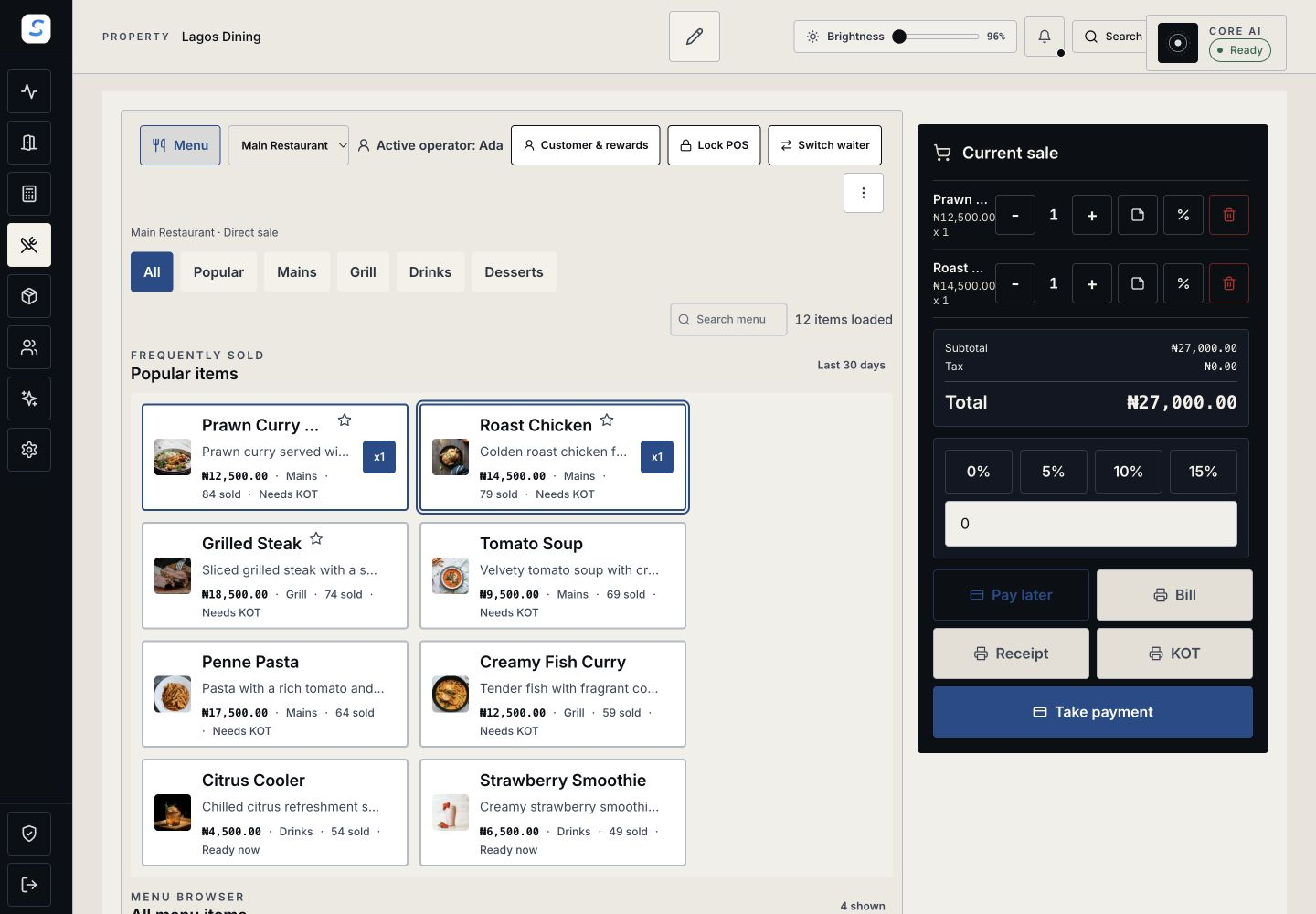
Serve the way your venue works
Use direct sales or full-service tables with the menu choices and ordering controls your outlet needs.
Restaurant & bar POS
Connect counter sales, table service and kitchen or bar preparation. Keep each order, payment and handoff visible through the service journey.
Explore help and guidesBuilt around your working day
Use direct sales or full-service tables with the menu choices and ordering controls your outlet needs.
Move kitchen and bar tickets through preparation, readiness and the actual service handoff.
Record payments and authorised room charges, then review the remaining balance before closing the table.
Restaurant & bar POS / 01
Choose the outlet and accountable operator, then build the order from your menu. Review required choices, quantities, discounts and the bill total before recording payment for a direct sale.
Restaurant & bar POS / 02
Seat guests, place orders and follow their progress from the table. Record settlement or an authorised deferred arrangement, and check the result before closing the table.
How it connects
A connected Staycore workflow
Restaurant & bar POS / 03
Station teams see ticket quantities, modifiers and special instructions. Start preparation, mark items ready, and record the handoff when those items have actually been passed to service.
How it connects
A connected Staycore workflow
How it comes together
Connect the person taking the order with the people preparing, serving and settling it.
Choose the outlet, table or direct-sale flow and record the guest’s menu choices.
Send the order and follow its kitchen and bar tickets through preparation.
Record readiness and the actual item handoff so remaining work stays visible.
Record the received payment or authorised arrangement and review the remaining balance.
Yes. Staycore supports direct sales and full-service table workflows. The outlet service model and ordering controls determine the flow available to your team.
Yes, where the authorised charge-to-room arrangement is available. The amount is shown separately from payments at the table and remains payable on the guest folio until settled.
Payment and production progress are separate. Full-service tables can take payment while preparation continues; the station team still records readiness and the actual item handoff.
Learn your way around
Practical instructions for your team, from setup to the everyday details.
Your next chapter starts here
See how restaurant & bar pos fits your operation.