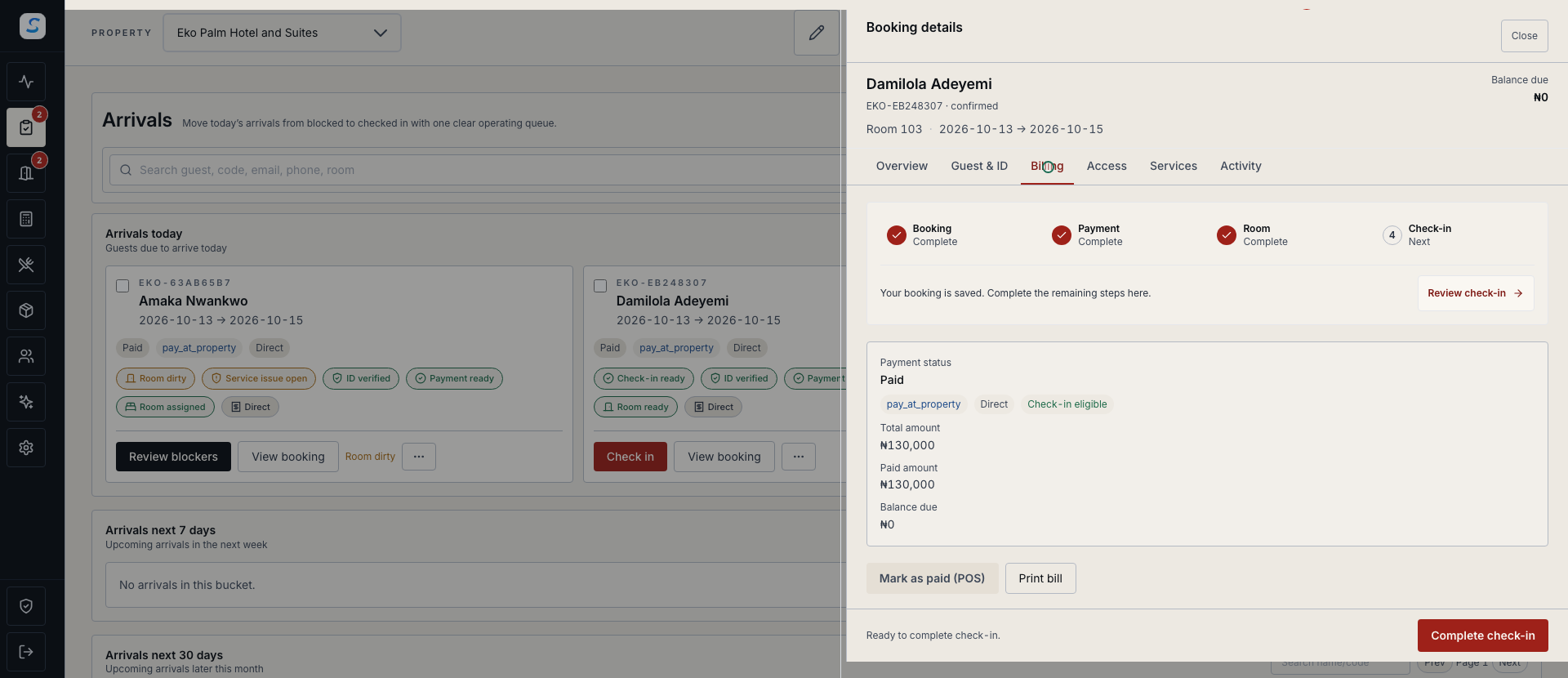
See the guest balance
Keep the amount charged, recorded payments and remaining balance together in the booking workflow.
Payments & accounting
Keep guest billing, recorded payments, expenses and accounting work connected. Give finance a clear route from an operational record to a reviewed report.
Explore help and guidesBuilt around your working day
Keep the amount charged, recorded payments and remaining balance together in the booking workflow.
Prepare expenses and journals with the supporting details your authorised reviewers need.
Review accounting reports, inspect their underlying records and export the authorised scope.
Payments & accounting / 01
Reception and finance can review billing details in the booking context. Check recorded payments and outstanding amounts before settlement or the next operational decision.
Payments & accounting / 02
Draft the financial record, submit it for the appropriate check and verify its posted state. Manual journals require balanced debit and credit lines before the approval and posting workflow.
How it connects
A connected Staycore workflow
Payments & accounting / 03
Use accounting reports to review the selected period and financial scope. Drill into the underlying activity and export the result for the next finance review.
How it connects
A connected Staycore workflow
How it comes together
Keep the operational context available as financial work moves between teams.
Open the booking, expense or journal and check the amounts and business context.
Complete the required details, allocations or balanced journal lines.
Submit, approve and post through the workflow available to your role.
Verify the resulting records and export the relevant financial view.
It shows guest booking billing, including recorded payments and the remaining balance. Accounting has its own expenses, journals, policies and reporting workflows.
Journal preparation, approval and posting follow the permissions available to the user. A saved draft or submitted journal is not yet a posted ledger entry.
Authorised users can run, inspect and export accounting reports. Available data and actions follow the selected reporting scope and account permissions.
Learn your way around
Practical instructions for your team, from setup to the everyday details.
Your next chapter starts here
See how payments & accounting fits your operation.