Keep the setup connected
Bring room types, physical inventory, rate plans and nightly prices together before opening a channel.
Bookings & channels
Connect direct bookings with Airbnb, Booking.com, Vrbo, Expedia, Agoda, Google Hotels and more. Keep your rates, availability and reservations coordinated in Staycore.
Explore help and guidesBuilt around your working day
Bring room types, physical inventory, rate plans and nightly prices together before opening a channel.
Review affected dates, prices and restrictions before applying a rate update.
Verify connection status and imported reservations so reception knows what has actually arrived.
A wider world of bookings
Explore 78 booking and distribution channels, from familiar global names to specialist travel networks.
Bring your shortlets, apartments and distinctive stays into your connected booking operation.
Keep a major accommodation marketplace connected to the rooms and stays you manage.
Connect vacation-rental demand with the homes and apartments in your operation.
Bring your Expedia distribution into the same view as your other booking channels.
Connect your accommodation offering with travellers discovering stays through Agoda.
Explore hotel-search visibility and Vacation Rentals connectivity for eligible properties.
Channel availability, connection features and activation depend on your property, channel account and completed setup.
78 channels
No matching channels. Try a different name.
Bookings & channels / 01
Use a Staycore public website or a supported booking embed on your existing site. Guests can search available accommodation and continue through the direct-booking journey.
Bookings & channels / 02
Distribution Hub guides authorised staff through supported channel connections. Map room types and rate plans, complete the provider approval, then inspect the sync status and an imported booking.
How it connects
A connected Staycore workflow
Bookings & channels / 03
Manage nightly pricing and restrictions for the intended room type, plan and dates. Preview the changes, apply them, and review the separate publication result for connected channels.
How it connects
A connected Staycore workflow
How it comes together
A reliable distribution workflow starts with the accommodation you can actually sell.
Check property details, physical rooms or units, room types, rate plans and nightly price coverage.
Complete the supported provider connection and map the accommodation and rates.
Synchronize the setup and review the outcome of price, availability and restriction updates.
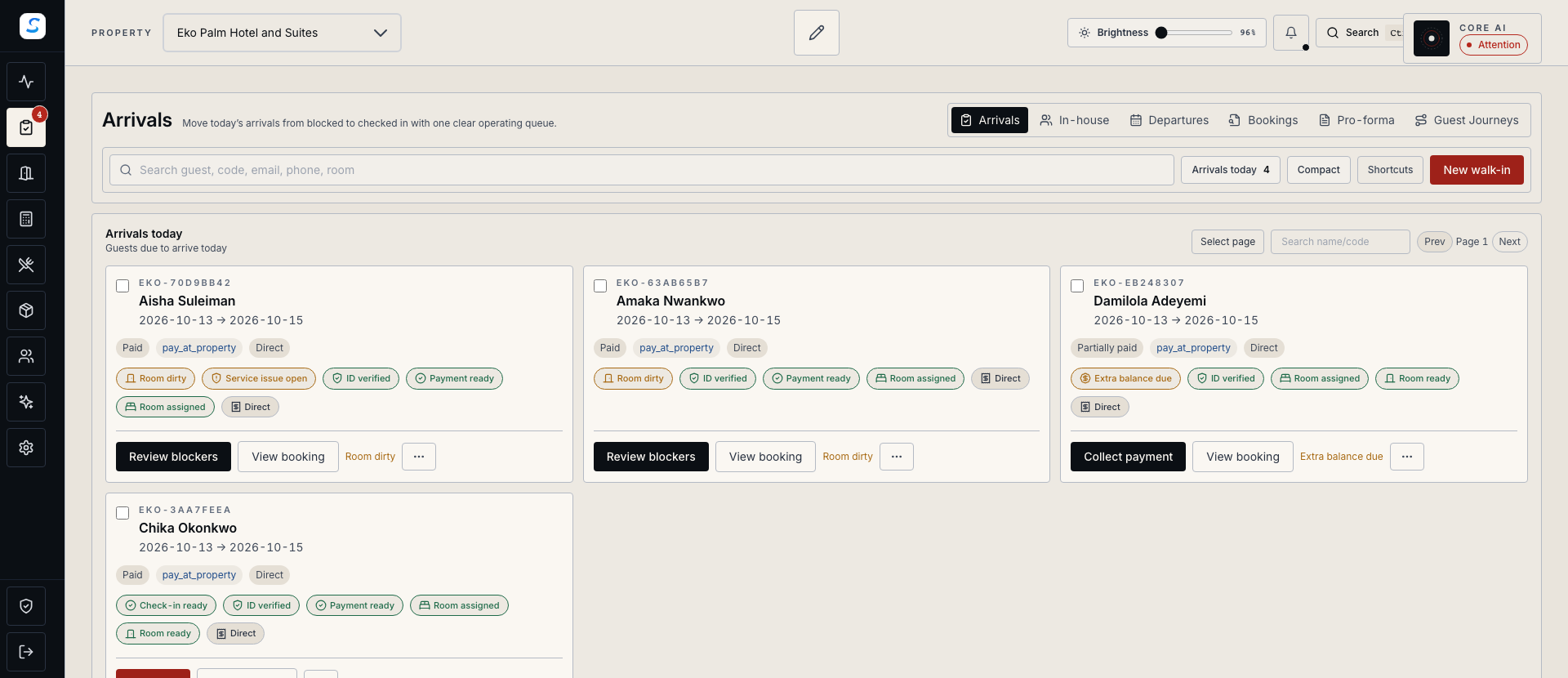
Inspect an imported booking in Front Desk and investigate incomplete mapping or sync results.
Yes. Supported Staycore booking embeds can be used on an external website. Staycore also provides its own website builder for operators who want their website and direct-booking journey together.
A connection is one step. Your team should verify room and rate mapping, current synchronization information and an imported reservation. Provider approval and the available connection options depend on the selected channel.
Review the separate queued, accepted, partial or failed publication result after applying the change. Provider acceptance is a useful status, but it does not establish the live state of every OTA listing; investigate incomplete results before relying on them.
Learn your way around
Practical instructions for your team, from setup to the everyday details.
Your next chapter starts here
See how bookings & channels fits your operation.