Check-in & Guest Verification
Prepare arrivals before handing over room access.
Staycore connects remote check-in review with reservation status, payment readiness, room assignment, and supported access credentials. Guests can submit information before arriving while your front-desk team retains the ability to review, approve, or reject the request.
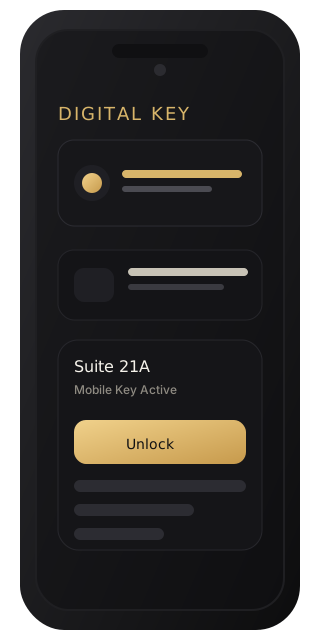
Arrival decisions
Keep the guest and the stay connected.
Review the submission
Remote check-in has records, status handling, and operator approval or rejection paths. Guest communications follow the review outcome. A submitted form gives staff information to review; the team still needs an arrival process for incomplete or rejected requests.
Verify room-entry eligibility
Guest self-service entry checks an active checked-in stay and reservation-linked identity data. A room code alone is insufficient. Property, room, and payment context matter when issuing access credentials.
Run a controlled arrival workflow.
- Confirm the booking. Check the correct property, reservation status, arrival dates, and assigned room in the front-desk workflow.
- Review guest information. Inspect the remote check-in submission where enabled. Approve or reject it using the property’s documented review process and communicate the outcome.
- Resolve payment readiness. Confirm payment or the approved payment arrangement. Payment status can block guest key issuance, so identify unresolved balances before promising immediate entry.
- Complete the access handoff. Where access control is configured, issue the supported credential for the correct room. Verify the effective access and the staff process for handling an unsuccessful entry.
Read the reservations and front-desk guide for the wider arrival, in-house, and departure workflow.
Deployment readiness
Choose the arrival experience your property can support.
Remote check-in depends on guest portal configuration, staff review procedures, and payment collection rules. Digital or mobile entry also depends on compatible hardware, provisioned locks, room mapping, and the credentials enabled at your property.
Staycore supports guest RFID and mobile credentials, but available entry methods must be confirmed against your setup. A property can introduce pre-arrival review before moving to a fully self-service arrival.
Use the remote check-in guide and Smart Access overview when planning the rollout.
Guest access and staff access have different rules.
Staff access uses zone assignments, time limits, and approval flows for sensitive access, including housekeeping-specific timing. Assign front-desk permissions and property memberships to match each person’s responsibility. Confirm who may review arrivals, handle payment exceptions, and authorize staff room access.
The digital access documentation explains supported credentials, effective-access views, and access audit events.
Demo acceptance checklist
Test the exceptions as well as a successful arrival.
- Submit a sample remote check-in and demonstrate both approval and rejection outcomes.
- Show what happens when payment is still due under the property’s chosen policy.
- Confirm that a room code without the required stay verification cannot establish guest access.
- Demonstrate a supported credential at the intended room and review the available access records.
- Walk through the desk-assisted fallback when the guest cannot complete the digital process.
Plan your check-in handoff.
Bring your current arrival procedure, payment rules, and lock details. We can review which steps belong in remote check-in and which need staff assistance at your hotel or shortlet.